Prometheus Integration
Note: This integration procedure is intended for the MetricsHub Enterprise Edition. If you are using the Community Edition, please refer to Quick Start.
MetricsHub sends the collected metrics to a Prometheus server using the Remote Write Protocol.
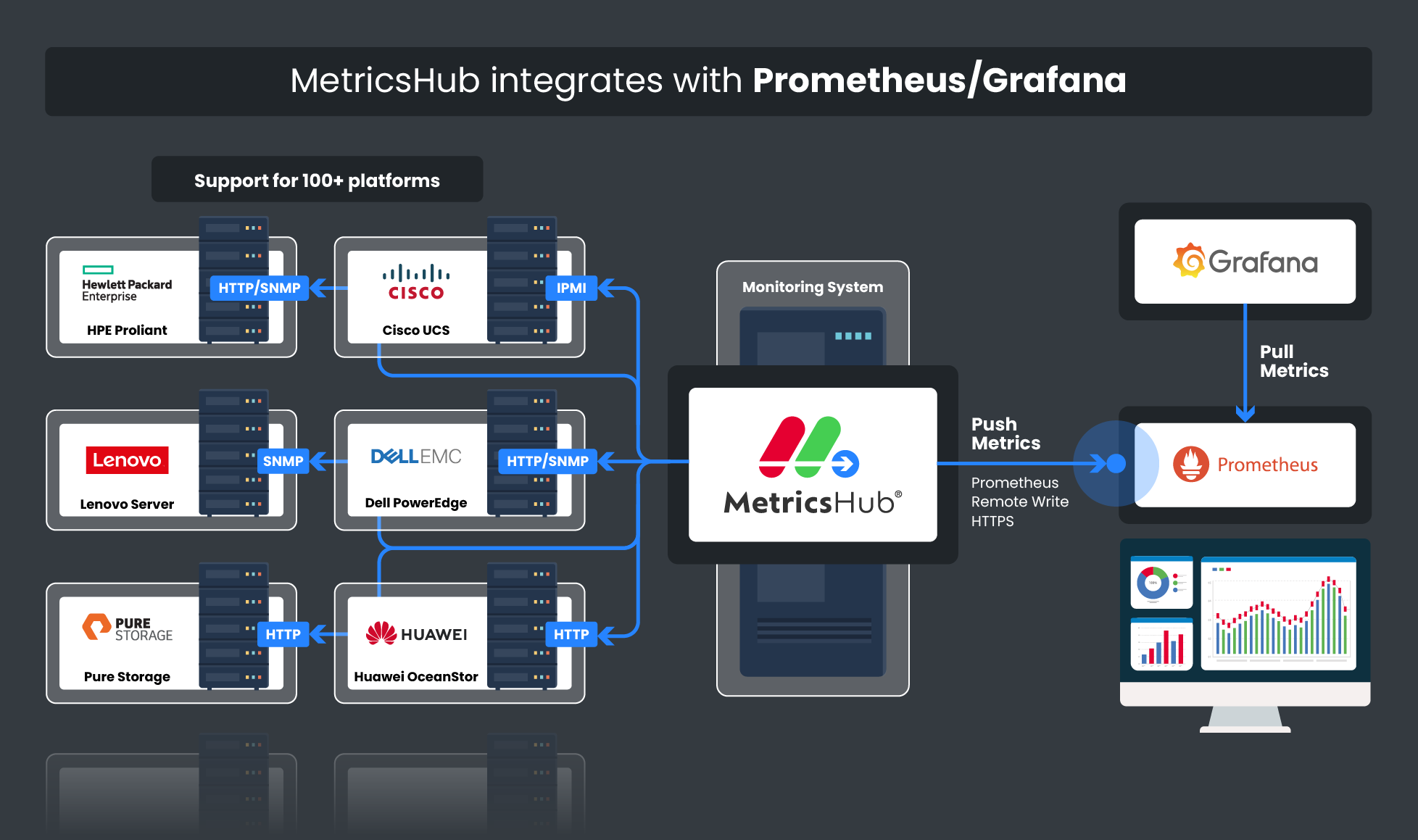
Prerequisites
Before you can start viewing the metrics collected by MetricsHub in Prometheus, you must have:
- Installed Prometheus
- Installed MetricsHub on one or more systems that has network access to the resources to be monitored
- Configured the monitoring of your resources.
Configuration
-
First, configure your Prometheus server to allow the the Remote Write feature:
- Enable the Remote Write Receiver with the
--web.enable-remote-write-receiveroption - Configure the Remote Write Receiver
- Enable the Remote Write Receiver with the
-
Then, edit the
exporterssection of theotel/otel-config.yamlconfiguration file:exporters:
prometheusremotewrite/your-prom-server: # The name of your Prometheus server
endpoint: http://your-prom-server:9090/api/v1/write # The URL of your Prometheus server
resource_to_telemetry_conversion:
enabled: true -
Declare the exporter in the pipeline section of otel/otel-config.yaml:
service:
  extensions: [health_check]
  pipelines:
    metrics:
      receivers: [otlp, prometheus/internal]
      processors: [memory_limiter, batch, resourcedetection, metricstransform]
exporters: [prometheusremotewrite/your-prom-server] # Declare your prometheus prometheusremotewrite exporter -
Finally, restart Prometheus then MetricsHub to ensure that the configuration changes take effect.